
Documentation / Ask Falnoa
Ask Falnoa
Ask about your agents in plain words, or ask for a change and confirm it yourself.
Ask Falnoa is a box where you write a question or a request in your own words. You find it under More in the Work group. It works with what your own account is allowed to see and do, never more.
Ask a question
Write what you want to know, or choose one of the examples under the box. The answer is a short sentence with the data it came from, shown as a table below it, so you can check it yourself.
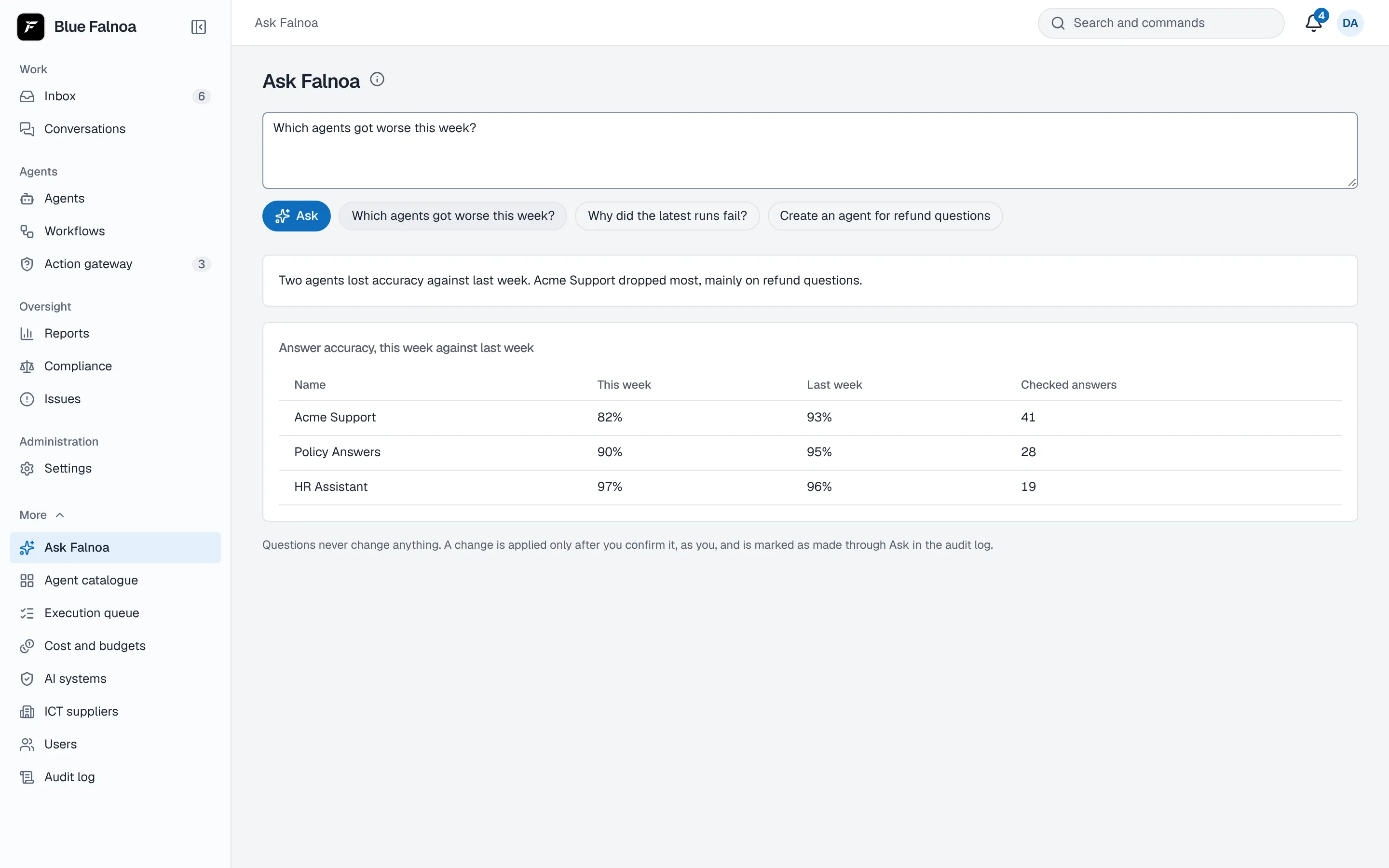
- Which agents got worse this week, and by how much.
- Which agents you have, their status and risk level, and how busy they are.
- Which issues are open.
- The latest evaluation score of an agent.
- What is waiting for approval, and since when.
- Recent workflow runs, and why the latest ones failed.
Ask for a change
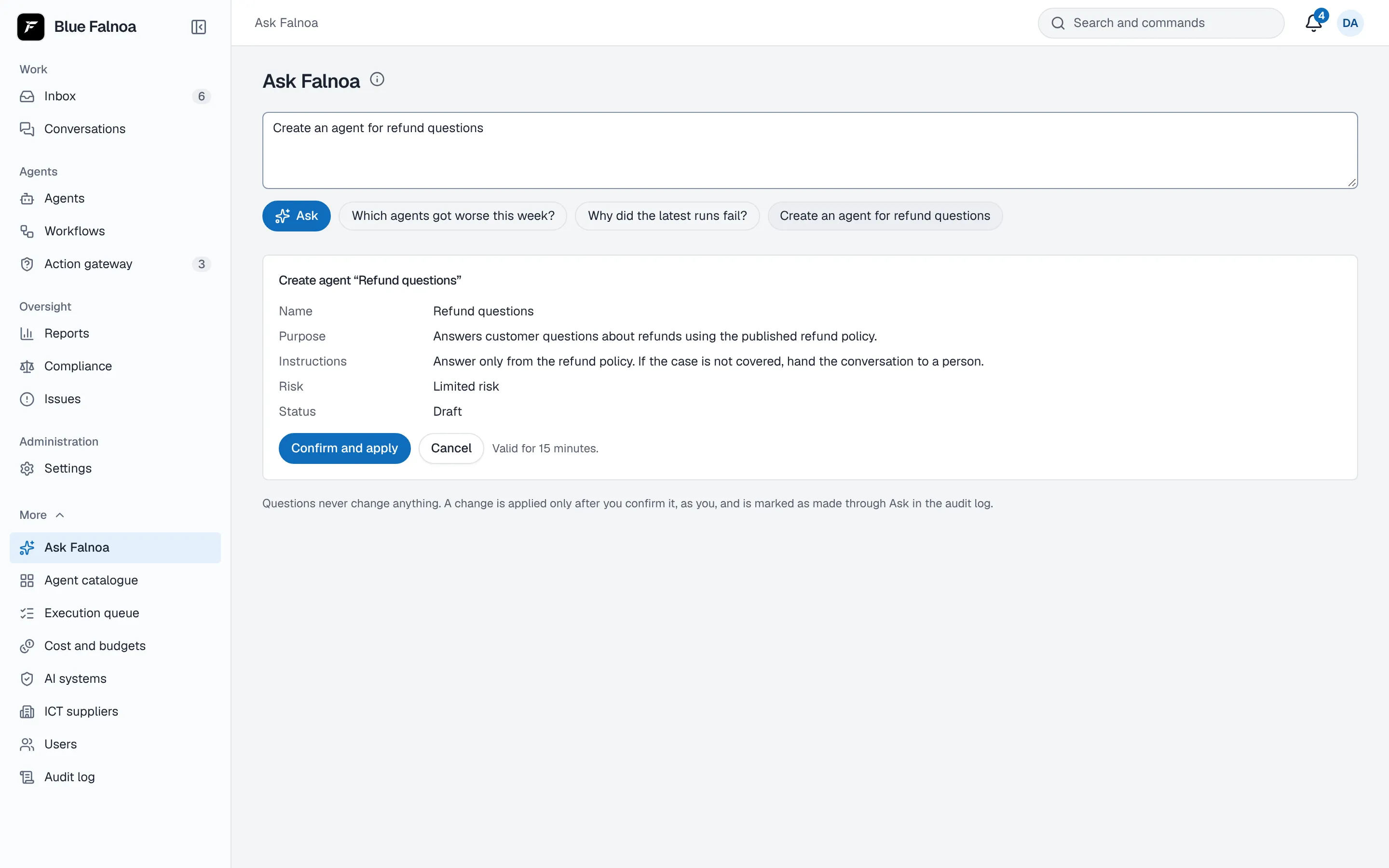
You can also ask for something to be created or changed, for example “Create an agent for refund questions”. Ask does not do it straight away. It shows what it would do, field by field, and waits.
- Write your request and choose Ask.
- Read the preview. For a change to an existing agent, the old value is crossed out next to the new one.
- Choose Confirm and apply to make the change, or Cancel to drop it. A preview is valid for 15 minutes.
- After you confirm, choose the link to open the agent or workflow that was created or changed.
Ask can create an agent, change an existing agent and create a workflow. Anything that needs an administrator, such as changing who has access, is refused for everyone else, with a message that says so.
Who made the change
A confirmed change is made by you, with your permissions. It appears in the Audit log under your name and is marked as made through Ask. Questions never change anything.
If Ask cannot prepare changes
Ask needs an AI model to understand requests for changes. If none is connected, it still answers questions and tells you so. An administrator connects a model in Settings.