
Documentation / Inbox and conversations
Inbox and conversations
Handle what is waiting for you, read conversations and check answers.
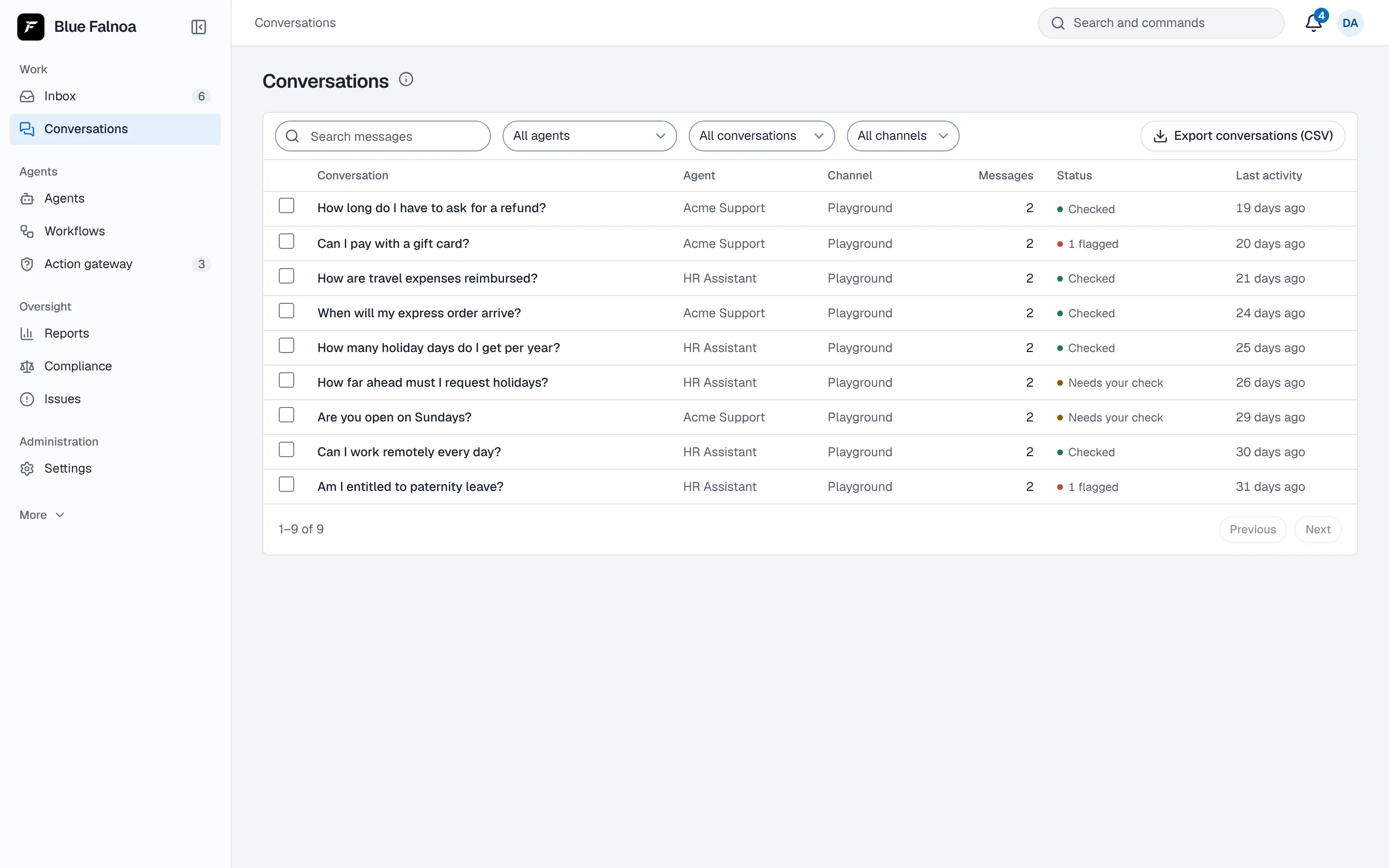
Inbox
Inbox lists everything that needs a person: workflows waiting for approval, answers to check, runs that failed and issues assigned to you. Start at the top of each section and open an item to deal with it. The number next to Inbox in the menu is how many items are waiting.
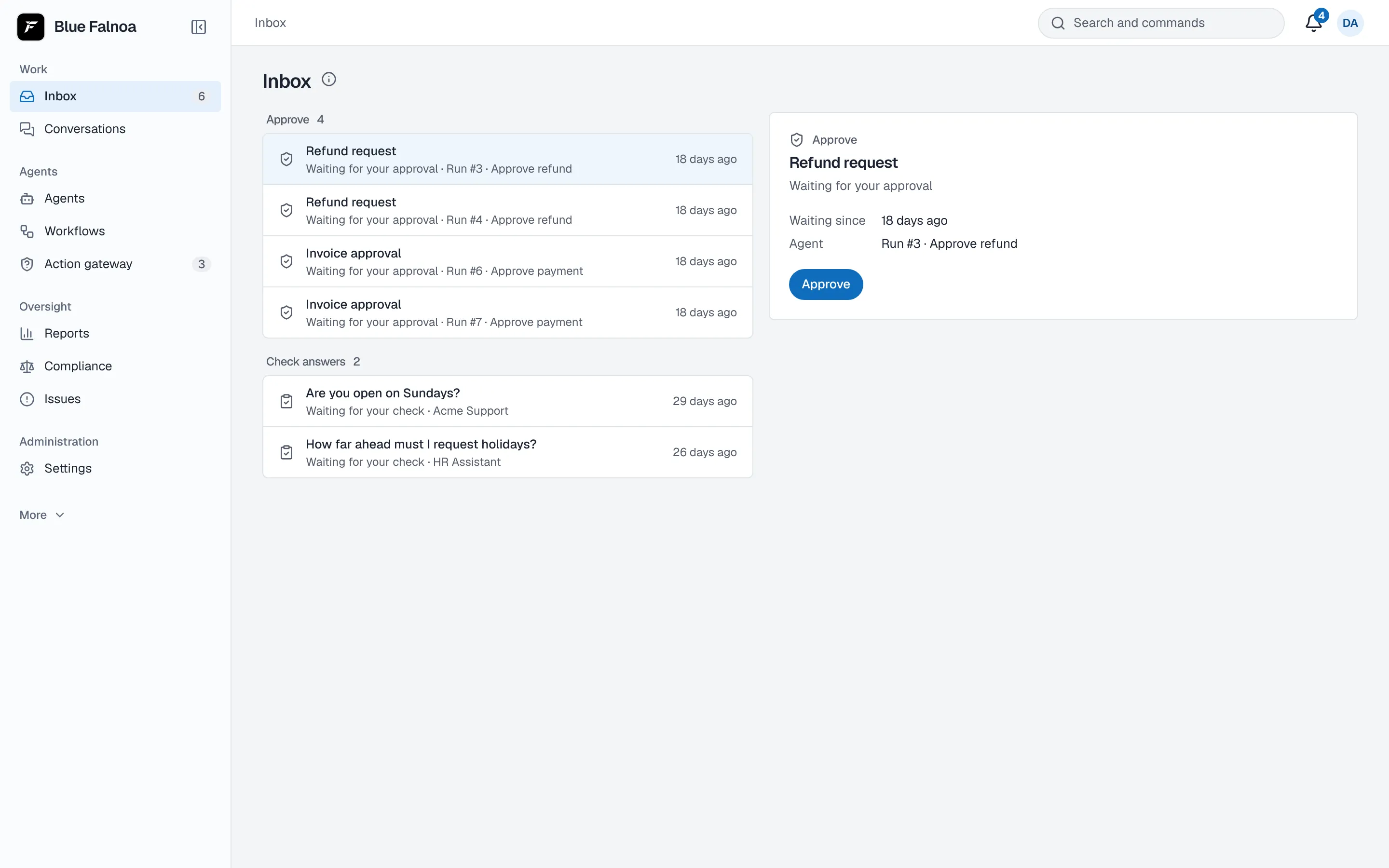
Conversations
Conversations lists every chat between a person and one of your agents. Search by words in the messages, or filter by agent and by review status. Conversations that still have answers nobody has checked are marked Needs your check.
Check an answer
- Open a conversation from Inbox or Conversations.
- Under the agent's answer, choose Correct or Incorrect.
- Pick the reason that fits best and add a note if it helps your team.
- Choose Save review.
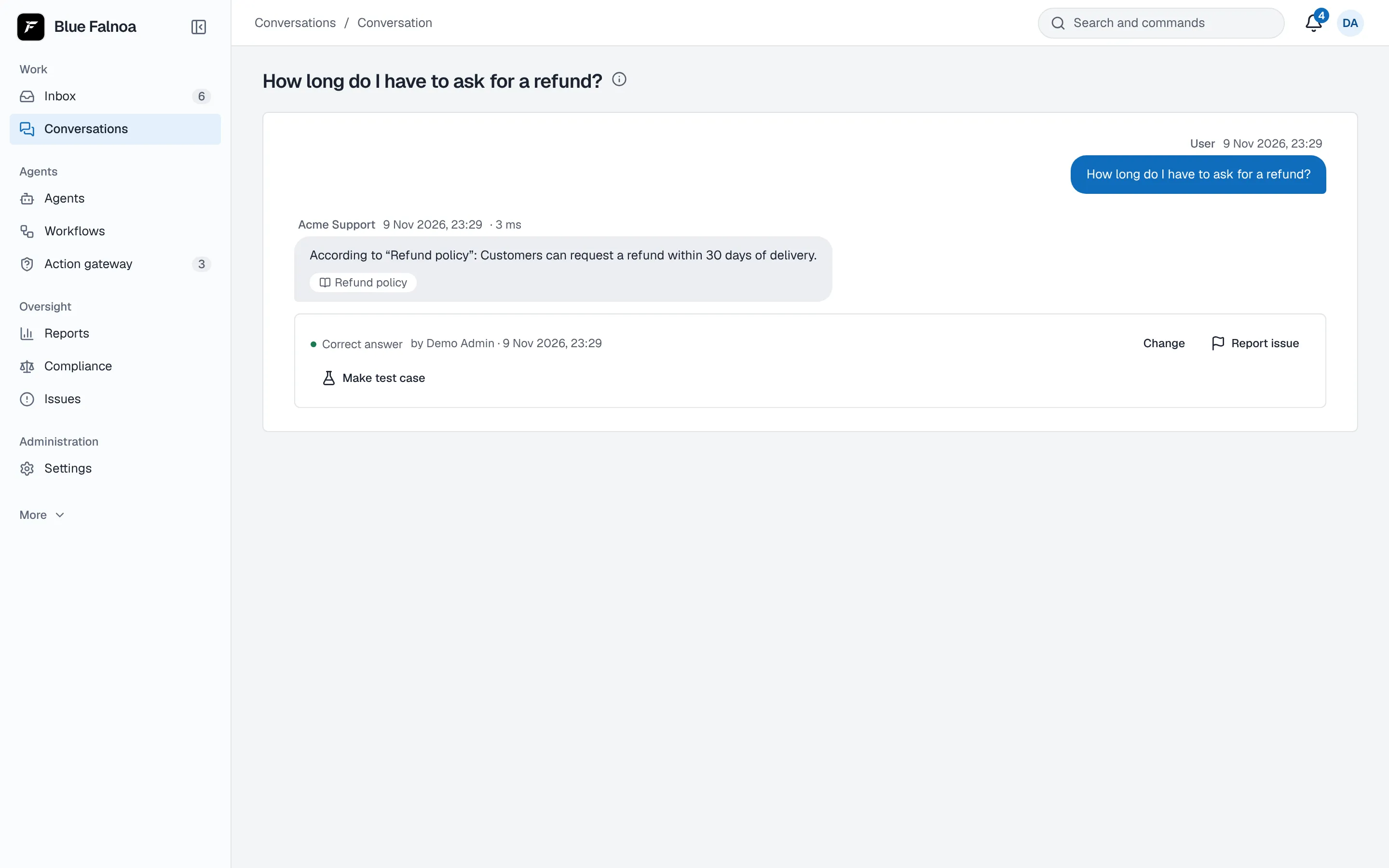
Your checks feed the accuracy numbers in Reports and show which knowledge needs to be fixed. Use Clear to take a review back.
Report a problem
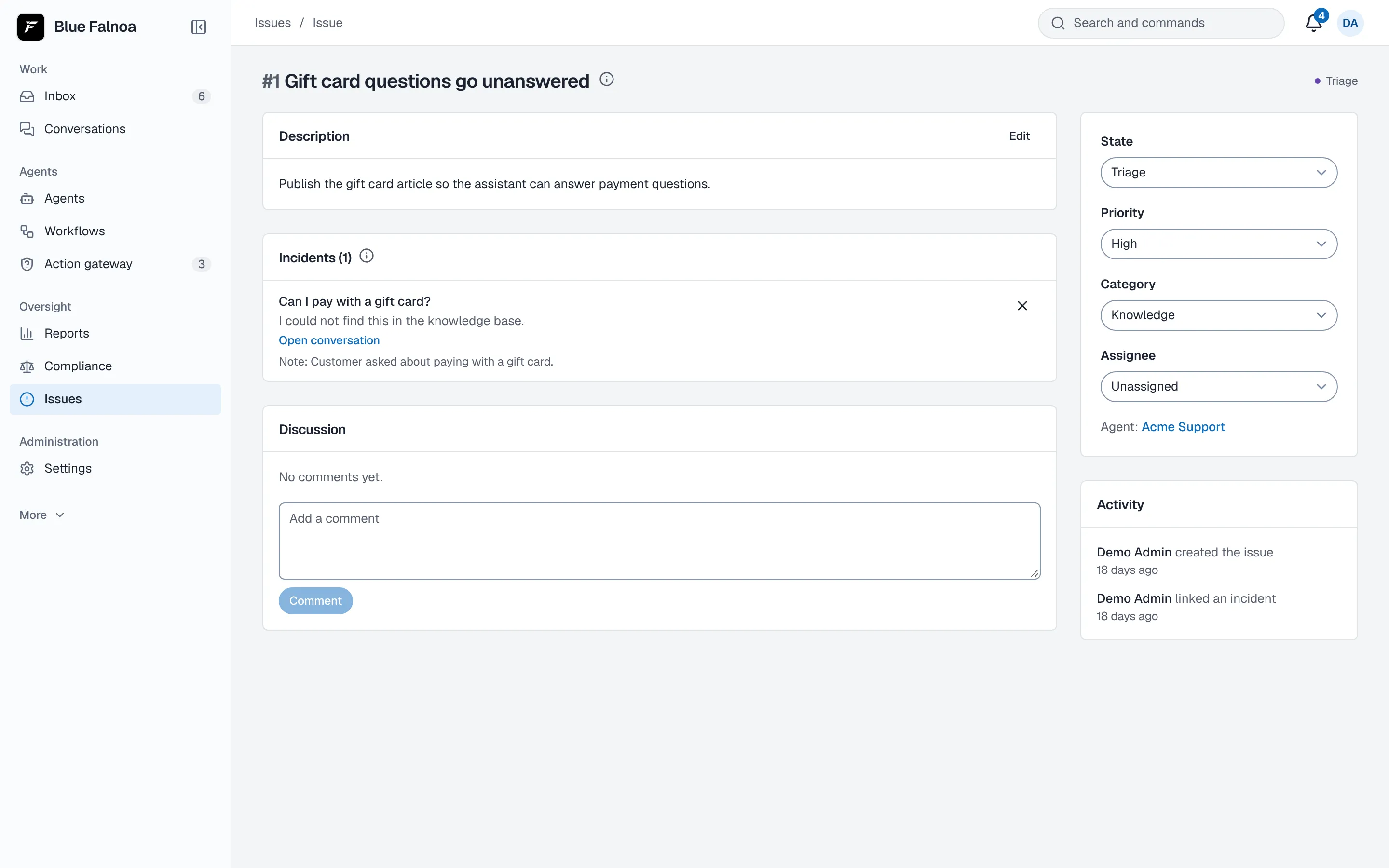
When an answer or a run went wrong, choose the report option on it. You can create a New issue or add the case to an existing issue. See Issues below.
Issues
Issues, in the Oversight group, tracks problems found in agent answers and workflow runs until they are resolved. Each issue has an owner, a state, comments and a history of what changed. Use New issue to open one yourself.
Ask Falnoa
Ask Falnoa, under More in the Work group, answers questions about your agents and runs, and can prepare changes for you to confirm. See Ask Falnoa in this guide.